Data Analyst
The report of the data analyst uses a separate dataset containing all detail data fields but only with historical data for the last 100 days. The report contains all pages that are also available in the following reports:
Next to this, the data analyst has some more reports to investigate the data by phone numbers or calling details and to test the dynamic row level security.
Calling Details
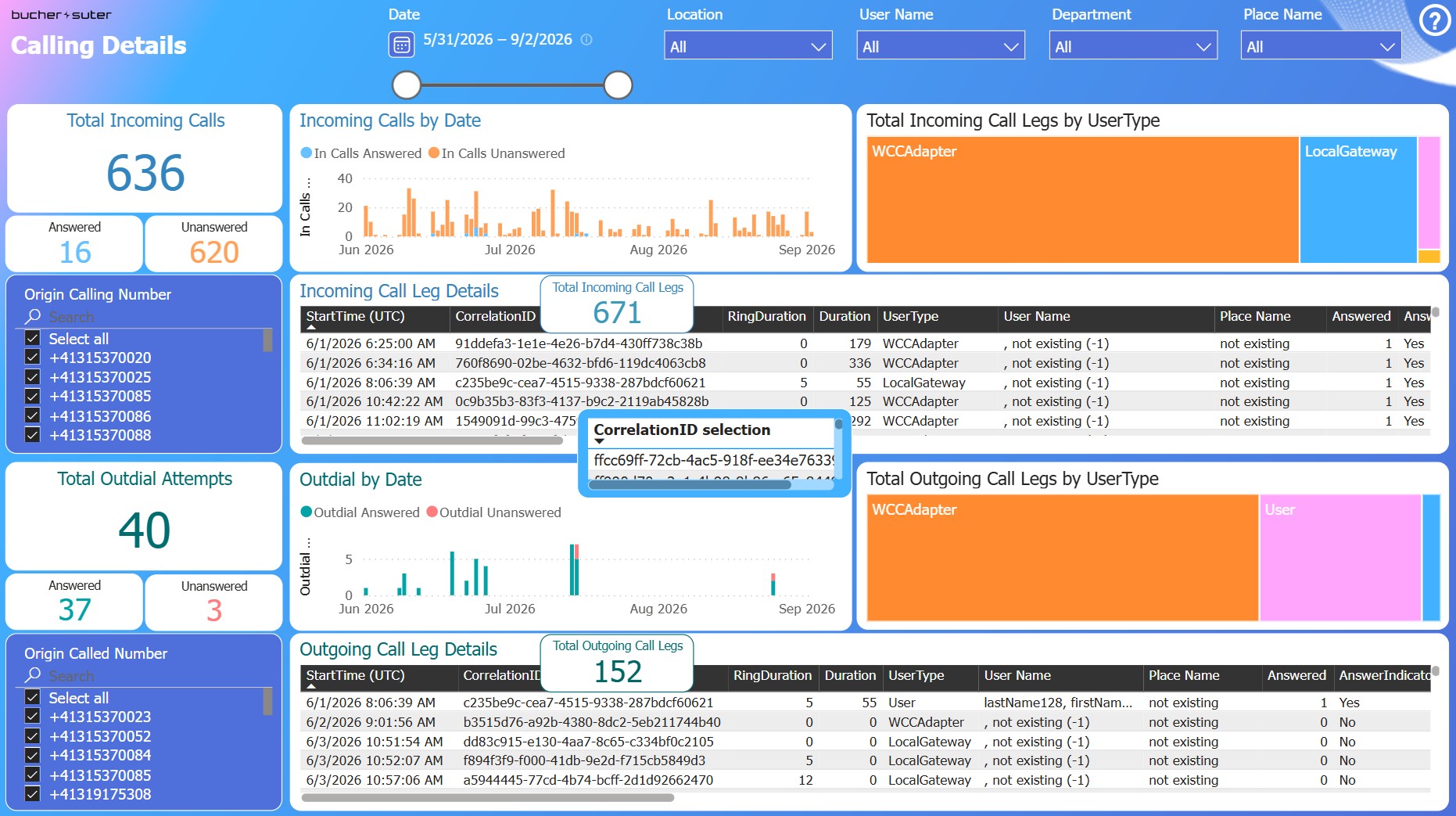
This report displays all of your incoming and outgoing calls of the Webex Calling application, separated by the origin calling or origin called number and showing the call leg details as well.
Use the slicers and interactions to filter the call leg tables. Select one call leg that you want to inspect which will filter the CorrelationID (the call) in the selection box. Then select this CorrelationID in the selection box which will filter all call legs of this call in both, the incoming and outgoing call leg detail table. Use the "Focus mode" to investigate the call leg details.
Phone Number Name
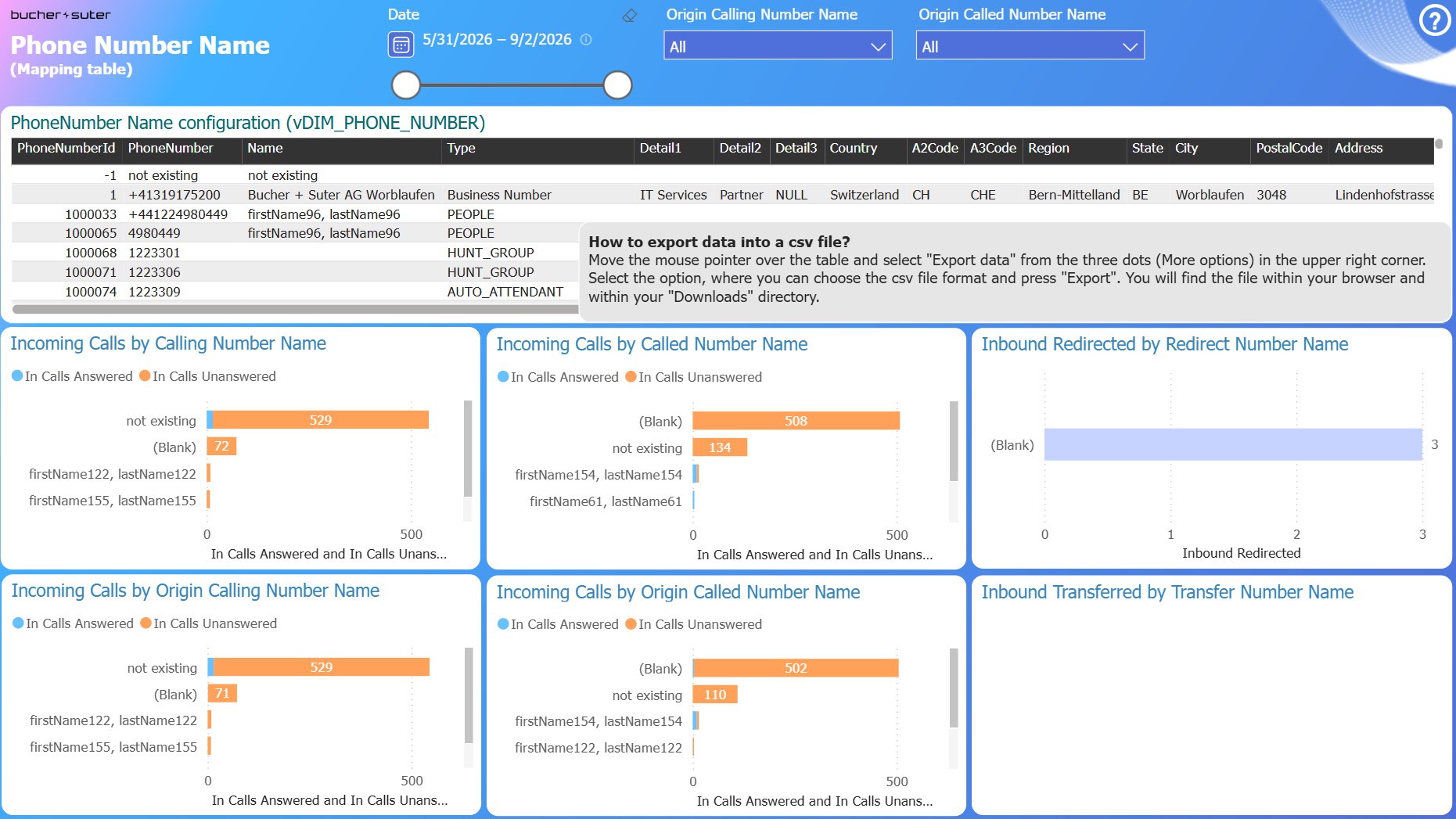
This report shows the imported phone number mapping table with all of its parameters including all Webex numbers (PhoneNumberId from 1000001) and the data visuals below by the six dimensions that use this mapping table.
See the details about this feature in the Calling PhoneNumber mapping configuration section.
Dynamic Row Level Security (RLS)
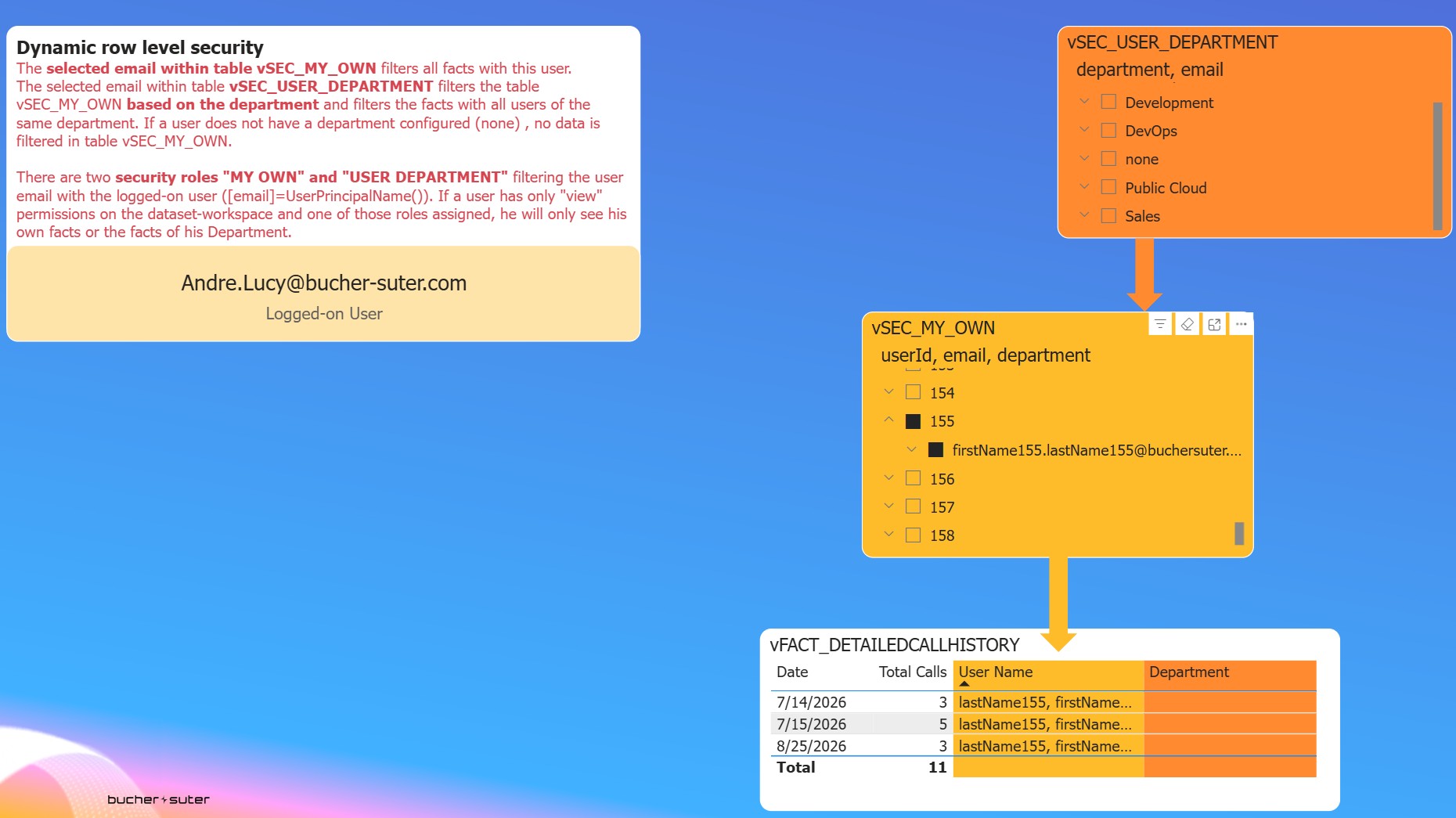
This report can be used to test which facts are filtered and available for the selected reporting users if they have one of the security roles "MY OWN" or "USER DEPARTMENT" assigned inside the Power BI workspace.
Simply select one of the users' email in the yellow or orange box on top and verify the displayed results in the fact table.